
Ohjeet englanniksi mutta kuvat kertoo.
Korvaat vain kirjautumisessa DM 500 HD.n axbox:lla.
Toimii myös windows 8:ssa.
Hi
With this training you need to FTP programs, DCC or anything like Filezilla want to move your Windows PC and vice versa.
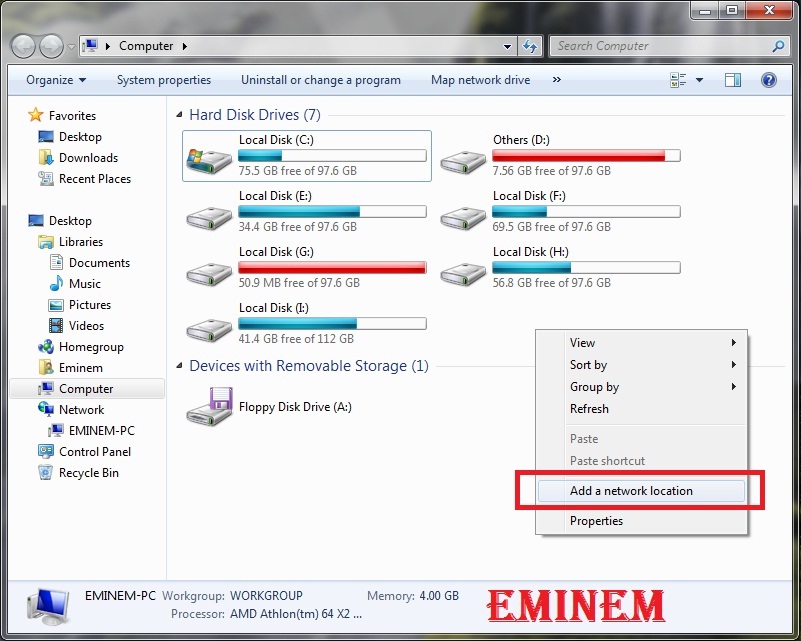
Enter your Computer and right click on an empty space and select the option to add a network location.
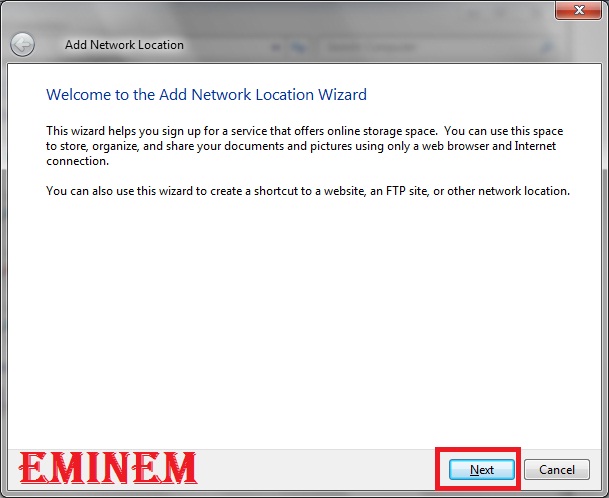
Click the Next button.
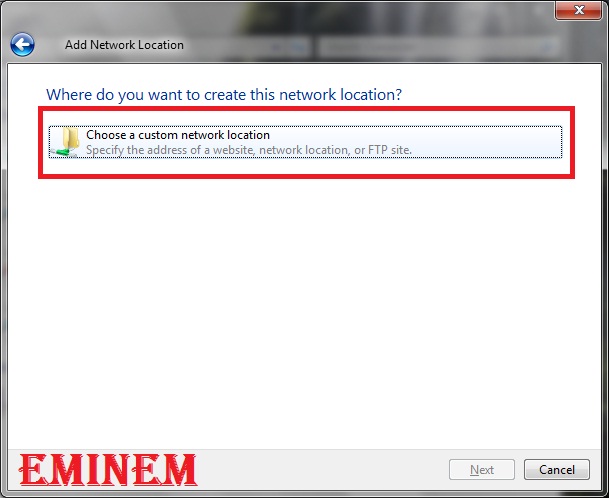
Double click on choose a custon network loaction.
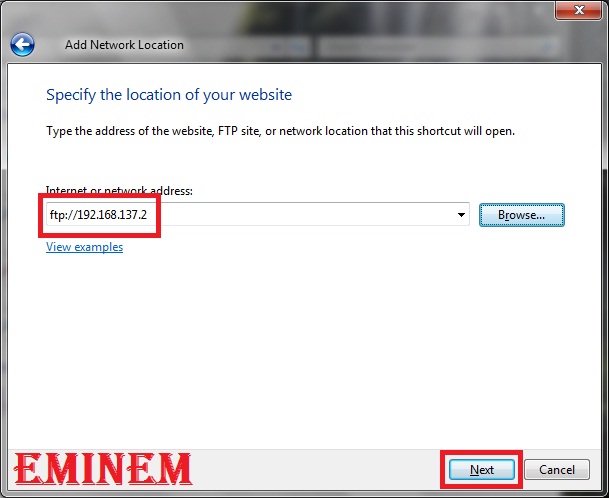
This ftp:// in the written statement and then enter the IP decoder.
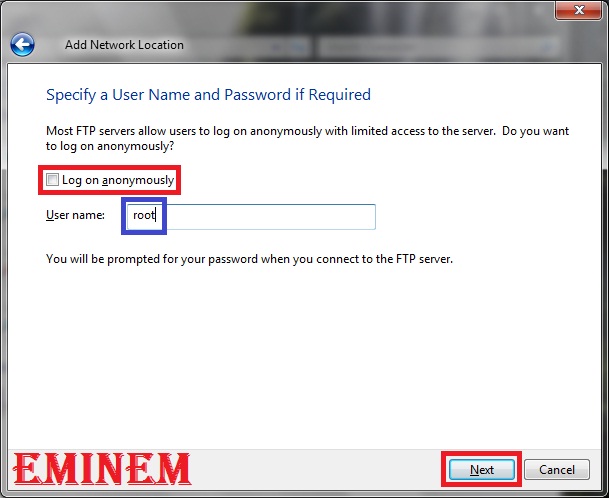
User log on anonymously check in half and remove the root type and click on Next button.
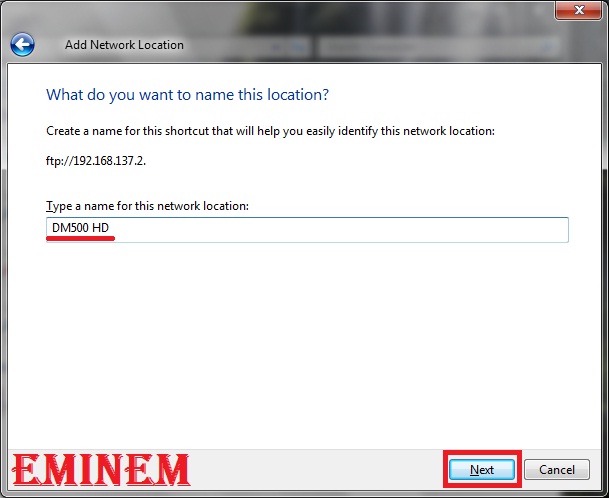
In this section, write the name of your receiver (you can also put a custom name) and click on Next button.
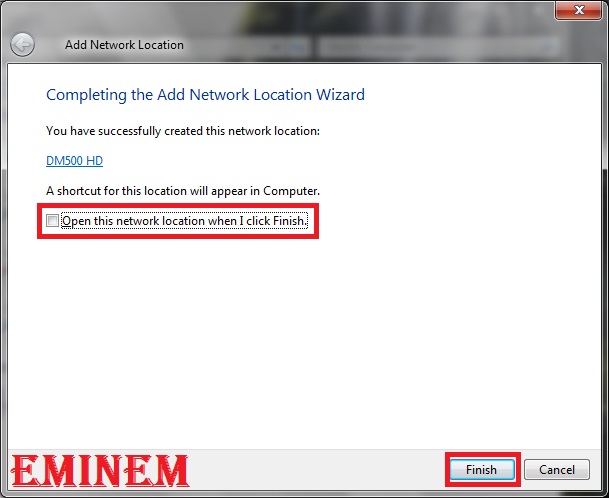
Remove the Check box as appropriate and click on the Finish button.
Put your Computer, network location in the network that made you see.
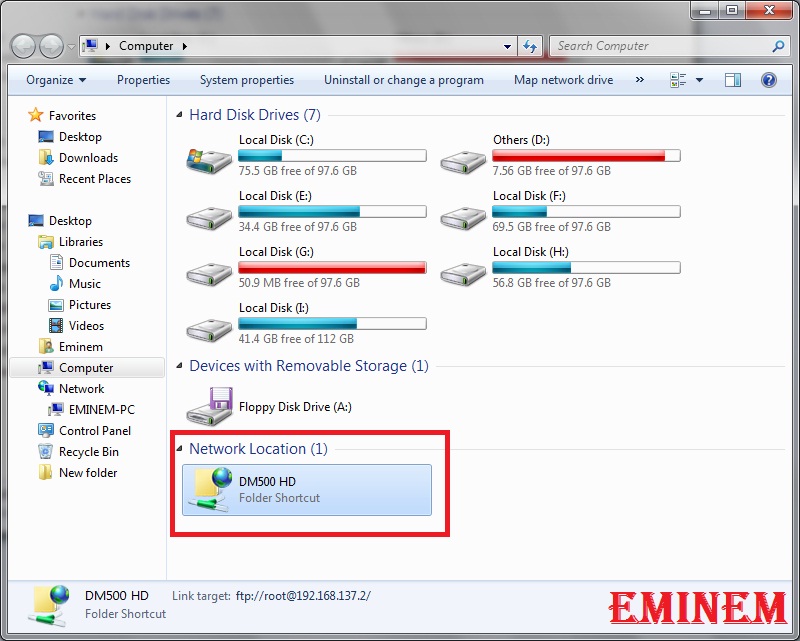
Double click on it to see the contents within its receivers.
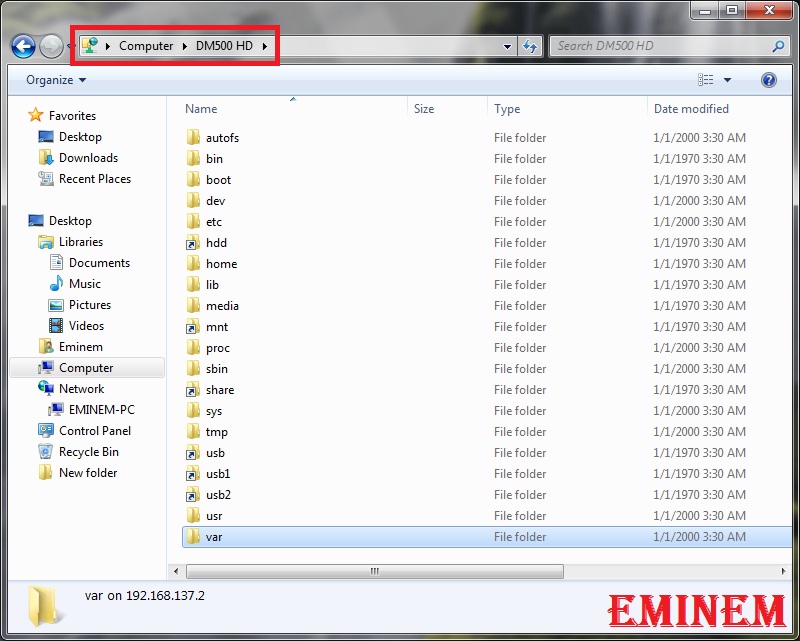
Now you can without any FTP program can transfer files to your receiver.
You can change the permissions on the file, right click and select properties.
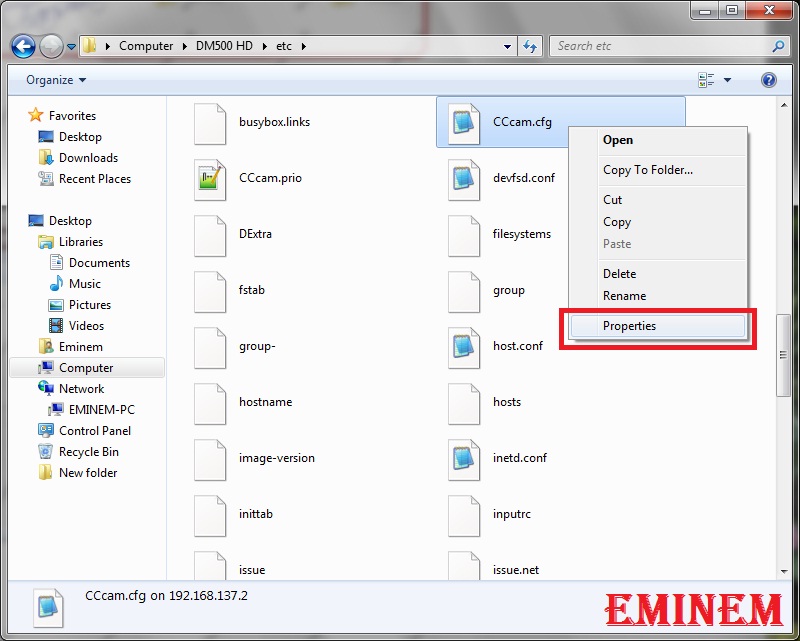
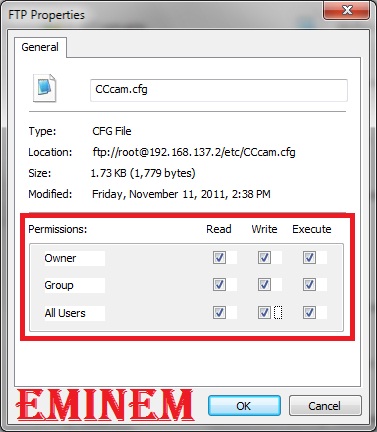
You can set the access level of the permission.
For example, if all the press box, I chose to read and write mode.
Korvaat vain kirjautumisessa DM 500 HD.n axbox:lla.
Toimii myös windows 8:ssa.
Hi
With this training you need to FTP programs, DCC or anything like Filezilla want to move your Windows PC and vice versa.
Enter your Computer and right click on an empty space and select the option to add a network location.
Click the Next button.
Double click on choose a custon network loaction.
This ftp:// in the written statement and then enter the IP decoder.
User log on anonymously check in half and remove the root type and click on Next button.
In this section, write the name of your receiver (you can also put a custom name) and click on Next button.
Remove the Check box as appropriate and click on the Finish button.
Put your Computer, network location in the network that made you see.
Double click on it to see the contents within its receivers.
Now you can without any FTP program can transfer files to your receiver.
You can change the permissions on the file, right click and select properties.
You can set the access level of the permission.
For example, if all the press box, I chose to read and write mode.

